
In September 2026, Microsoft expanded app creation capabilities in Copilot Cowork and Copilot Studio. Users can now build apps using a new /app capability in Copilot Cowork and also create apps directly within Copilot Studio.
Microsoft announced something similar in October 2025. At that time, Microsoft introduced the agent App Builder, which allowed users to create lightweight business applications through natural-language conversations inside Microsoft 365 Copilot. App Builder was Microsoft's original Copilot-based approach to conversational app creation. Today it is available as an agent within the broader Copilot ecosystem.
What has changed is that Microsoft is bringing app creation into Copilot Cowork and Copilot Studio, making it more accessible within the broader Copilot ecosystem for organizations using Microsoft 365 Copilot.
At the time of writing, Microsoft says the Copilot Cowork app-building experience is available through the Frontier program for users with a Microsoft 365 Copilot license and access to Copilot Cowork. Availability may vary based on licensing, tenant settings, user eligibility, and Frontier enrollment. Organizations opt into Frontier via an administration setting, so talk to your IT team if you want to join. There may also be usage-based charges; existing Microsoft 365 subscriptions do not necessarily cover all app-building and running costs.
If you want to make sure your organization is using your M365 subscriptions to their full ability, book an IT Consultation with us. Free, virtual, and no commitment.
What's Different with Current Abilities to Build Apps
Microsoft announced that app creation is expanding beyond the original App Builder experience and into two major Copilot products:
- Copilot Cowork, through a new
/appcapability - Copilot Studio, through a new app-building experience
Where App Builder Fits In
- App Builder was Microsoft's earlier Copilot-based app creation experience and is now accessible in Copilot as an agent.
The goal is to allow users to create business applications from natural-language conversations instead of requiring traditional development tools. Building apps through natural-language conversation already existed with App Builder, but Microsoft is now making app creation part of the broader Copilot experience.
Copilot generates a first version, so you start with something tangible instead of a blank screen. From there, you can refine the app by asking for another field, a different layout, or a new workflow. You can review it, use it, and refine again later if you need to.
Building Apps in Copilot Cowork
Instead of switching into a separate development environment, users can remain inside a Copilot Cowork conversation, describe the problem they're trying to solve, and generate an application around it. They can then continue refining the app through conversation.
This functionality can also be accessed by calling the /app skill. To make an app, type /app, then describe what you want the app to do in the same message.
Building Apps in Copilot Studio
In Copilot Studio, Microsoft is introducing a dedicated App (Preview) experience. Users can describe what they want it to do, the desired outcome, the people who will use the app, the data involved, and the actions the app should perform. With that information, Copilot Studio generates an initial application that can be previewed, refined, and then eventually published. Microsoft also says users can review the underlying app structure and code if they need more control over the generated application.
Copilot Studio brings app building alongside agents and workflows, while Copilot Cowork lets users begin from a conversation.
What Kind of Apps Can You Build?
Microsoft is targeting apps designed to help everyday business as opposed to a large application system. It still has its limits. These are some examples of apps you can try as prototypes and then refine. Before putting it into regular use, confirm that it connects to the right data, gives the right people access, and supports the steps your process requires. You could use it for:
Client intake and request tracking
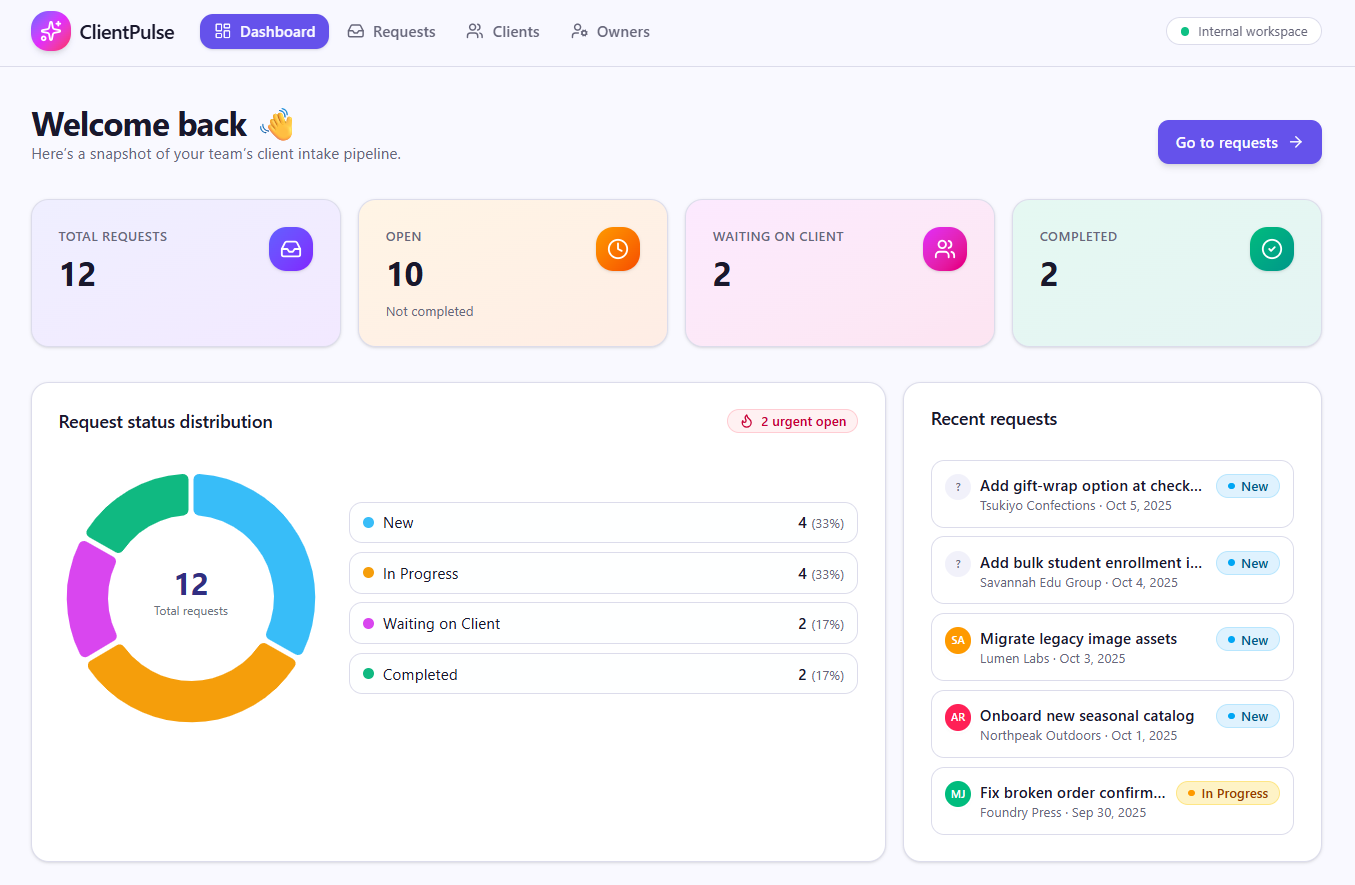
Build an app that collects client requests in one place, captures the information your team needs, and lets staff assign an owner and update progress. For example, a service request could move through “New,” “In Progress,” “Waiting on Client,” and “Completed,” with filters that help staff find requests by owner or status. Start with a form or process your staff already uses internally as a jumping off point.
Dashboards and reporting tools
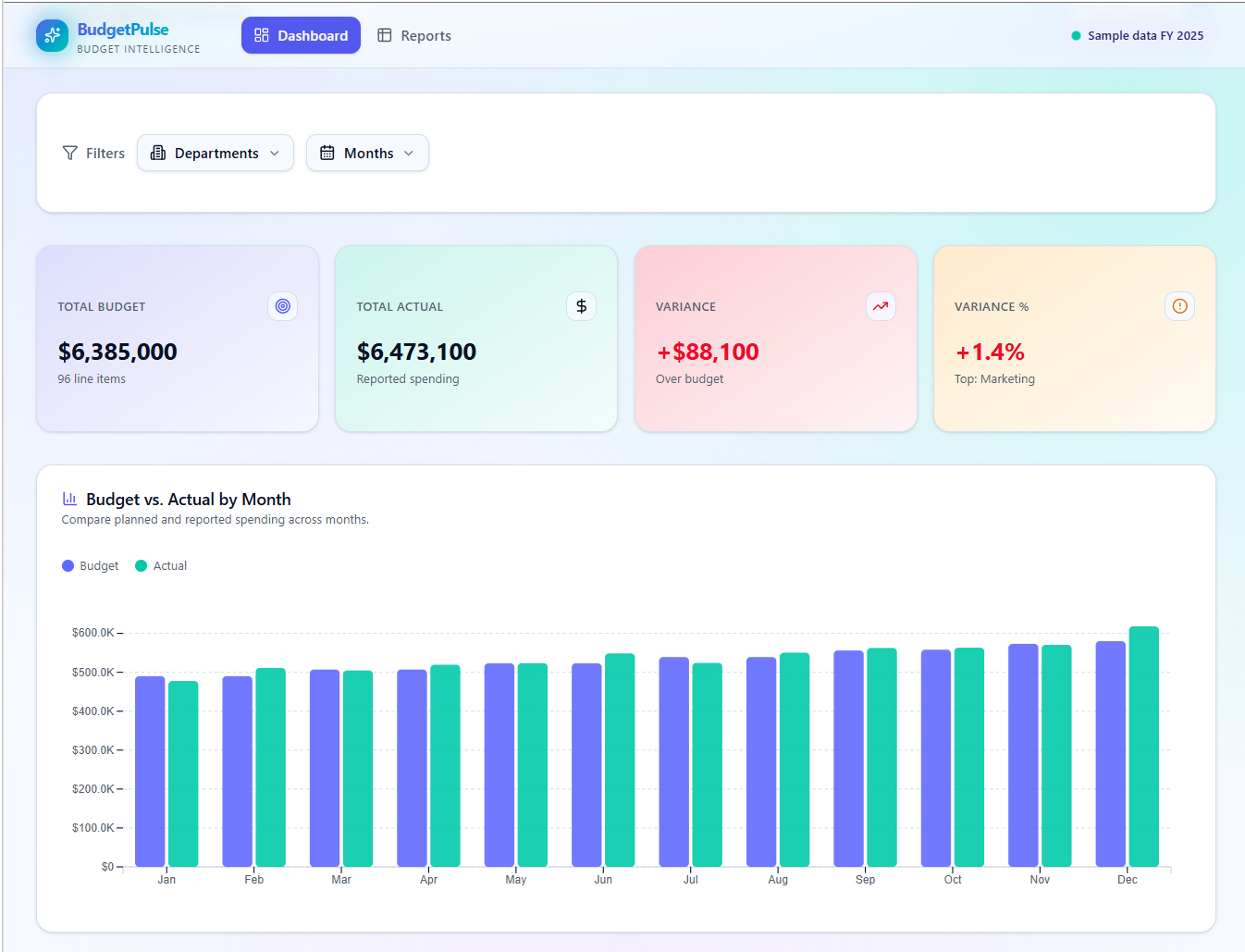
Turn spreadsheet information into an interactive view of sales, projects, budgets, or operations. Start with one business question, such as how spending compares with your budget. Specify whether you’re importing data once or need it to stay current. You could create an interactive dashboard around a specific business question, such as how sales are trending, which projects are approaching their deadlines, or how spending compares with a budget. Users could use filters to explore the information by date, team, service, or project instead of scanning a large spreadsheet.
Team productivity applications
Build a custom app centered around team productivity. Start with a focused tool that supports one recurring team process. The app should begin as a focused tool, such as an employee onboarding checklist, asset tracker, meeting preparation workspace, resource scheduler, or internal project tracker. Add more capabilities as you test and refine it. Other examples include an asset tracker for equipment assignments, a meeting preparation workspace for agendas and action items, a resource scheduler, or an internal project tracker.
How This Fits into the Larger Microsoft Ecosystem
This expansion of app building capabilities with Copilot closes gaps in the automation cycle. Microsoft is stacking AI capabilities: apps provide the user interface, workflows automate the process, and agents answer questions and perform tasks. These pieces work together to make a more complete business solution. Build a focused tool for employee onboarding, asset tracking, meeting preparation, resource scheduling, or project tracking. Start with one process, such as an onboarding checklist with task owners and due dates. Test it before adding more capabilities.
Should Small Businesses Care?
The short answer is yes, but not to replace major enterprise software or applications on which business operations are dependent. But there is real potential to solve the dozens of small operational problems that never seem important enough to justify buying another application. It can help with time sucks during the workday that aren't obtrusive enough to justify another paid tool or taking the hours to change the process.
Businesses evaluating broader AI adoption strategies may also want to explore:
- What's Microsoft Copilot? The Beginner's Guide to Microsoft Copilot
- SpireTech's Recommended AI Tools: Claude, Copilot, & Hatz AI
Security and Governance Still Matter
Just because anyone can build an app doesn't mean every app should be built without oversight.
Businesses should still think through questions such as:
- Who owns the application?
- Who can access the data?
- What data needs to be protected?
- What happens if the creator leaves?
- How is the app maintained?
- What information is stored inside it?
Microsoft says apps created through these experiences continue to follow existing organizational security, compliance, sharing, and Microsoft Entra authentication policies. Administrators can also manage visibility and access through Microsoft 365 administration controls. That doesn't mean there's no need for internal governance. Make sure ownership, lifecycle management, and security expectations are clear before deploying anything business critical. Consult your friendly neighborhood Managed IT Services team if this is something you need help managing.
For organizations reviewing Microsoft security controls more broadly, our guide to Microsoft 365 security assessments covers many of the same governance conversations these tools introduce.
Should You Start Experimenting Now?
Yeah, try it out. Start small, build a simple tool that solves a real problem, and see whether people actually use it and if it's useful in the way that you want.
The businesses most likely to benefit are organizations that:
- Already use Microsoft 365 heavily
- Have repetitive manual processes
- Need lightweight custom tools
Closing Thoughts
If you're evaluating Microsoft Copilot, Copilot Studio, or other AI-powered productivity tools, the opportunities and the governance implications both matter. Finding AI tools isn't the hard part anymore. The challenge is figuring out which ones create real business value is.
Book a free IT consultation to see whether you're using your Microsoft subscription to its full potential.
Frequently Asked Questions
Q: Is this the same App Builder Microsoft announced in 2025?
A: Not exactly. Microsoft introduced App Builder in 2025 as a conversational app-building experience inside Microsoft 365 Copilot. The September 2026 announcement expands app creation into Copilot Cowork and Copilot Studio with new app-building experiences, making app creation more closely connected to workflows, agents, and organizational data.
Q: Do I need coding experience?
A: No, Microsoft designed these experiences around natural-language interaction, so you describe what you want and refine it through conversation rather than writing code.
Q: Can these apps connect to business data?
A: Microsoft says applications can connect to organizational data and business systems through supported connectors and Microsoft context services, depending on the environment and permissions being used.
Q: Is company data used to train Microsoft's AI models?
A: Microsoft 365 Copilot operates under Microsoft's enterprise data protection commitments. Organizations should still understand how connected systems, external services, and third-party data sources are governed.